
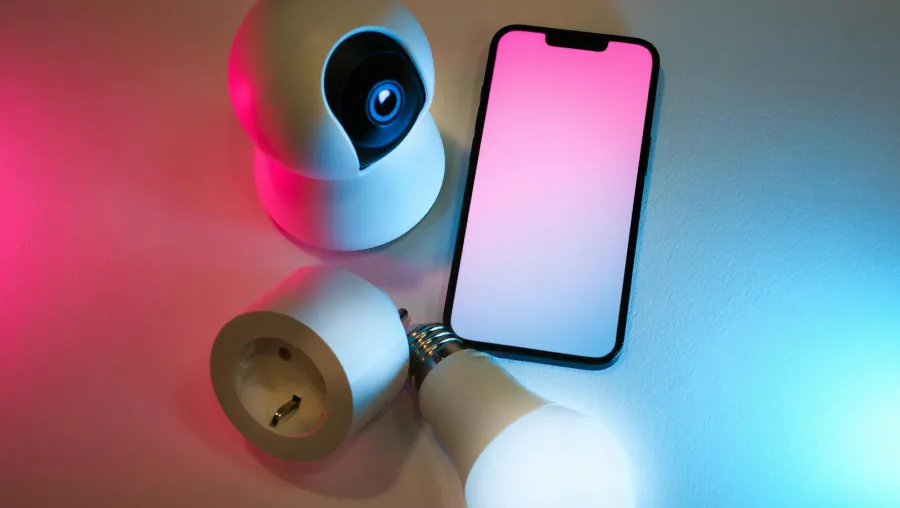
What Is a Smart Lighting System?
A smart lighting system connects your lights to WiFi or Bluetooth, letting you control them from your smartphone, tablet, or smart speaker. You can set timers, adjust brightness, or change color without using a switch.
Smart lighting adds comfort, efficiency, and convenience. From helping you wake up with gentle light to creating a relaxing movie-night setting, these systems make everyday living simpler.
Smart Lighting vs Traditional Lighting
Understanding smart lighting vs traditional lighting helps highlight why more people are switching.
| Feature | Smart Lighting | Traditional Lighting |
| Control | App, remote, or voice command | Manual switch only |
| Energy Use | LED bulbs save energy | Depends on bulb type |
| Customization | Change color, dimness, and set timers | Limited options |
| Automation | Yes, works with schedules and sensors | None |
| Cost | Higher start-up cost, long-term savings | Lower initial price |
Traditional lighting only offers on or off. Smart lighting offers control, style, and efficiency.
Best Smart Lighting for Beginners
If you are starting small, look for the best smart lighting for beginners. The right products are easy to install, budget-friendly, and work with common voice assistants such as Alexa, Google Home, or Apple HomeKit.
1. Philips Hue
Why choose it: Philips Hue provides reliable bulbs, light strips, and fixtures with vibrant colors and app control.
- Works with Alexa, Google Assistant, and Apple HomeKit
- Bluetooth or bridge setup options
- Custom scenes, timers, and motion sensors
Ideal for: Homeowners who want flexibility and consistent performance.
2. Wyze Bulb Color
Why choose it: Simple, low-cost, and dependable. Wyze bulbs connect straight to WiFi, no hub needed.
- Works with Alexa and Google Assistant
- Bright, colorful, and affordable
- Simple control through the Wyze app
Ideal for: Renters or those testing smart lighting for the first time.
3. TP-Link Kasa Smart Bulbs
Why choose it: Kasa bulbs are affordable, reliable, and easy to automate.
- Direct WiFi connection
- Good scheduling and grouping features
- Supports multiple platforms
Ideal for: Everyday users who want easy management through a single app.
4. Nanoleaf Shapes and Lines
Why choose it: Nanoleaf turns lighting into art. Panels react to touch and music for an interactive experience.
- Works with major smart assistants
- Unique wall-mounted design
- Great for creative environments
Ideal for: Artistic users seeking mood lighting and décor combined.
5. Govee Smart Lights
Why choose it: Govee provides colorful light strips and bulbs at an affordable price.
- Works with Alexa and Google Assistant
- Strong app with DIY color options
- Perfect for entertainment setups
Ideal for: DIY users looking for value and fun lighting effects.
Voice-Controlled Smart Lighting Setup
A voice-controlled smart lighting setup adds hands-free comfort. Here’s how to do it:
1. Connect Your Bulbs
Install the smart bulbs or light strips and follow the app guide to connect to your WiFi network.
2. Link to Your Smart Home App
Use the Alexa, Google Home, or Apple Home app to detect and connect your new lights.
3. Group and Name Devices
Organize your lights by room. Naming helps when using voice commands.
4. Set Voice Commands
Try:
- “Alexa, turn on the kitchen lights.”
- “Hey Google, set the living room lights to 50%.”
- “Siri, set bedroom lights to warm white.”
5. Automate Your Lighting
Create daily routines, such as dimming lights at night or brightening them in the morning. Automation saves time and energy.
Smart Lighting Installation Cost
The smart lighting installation cost varies by setup size and product type. Most smart bulbs screw in like regular bulbs, so you can often handle installation yourself.
| Item | Average Cost |
| Smart Bulbs | $10–$50 each |
| Smart Light Strips | $25–$80 |
| Smart Switches | $40–$100 per switch |
| Hub (if needed) | $40–$60 |
| Professional Configuration (optional) | $100–$300 total |
You do not always need professional help. However, for multiple rooms or integrated systems, assistance from trained technicians can ensure everything runs smoothly.
At Solution Oriented Services of San Francisco, we specialize in configuration and troubleshooting for smart lighting, smart home integration, and connected devices.
Setup Tips for Reliable Smart Lighting
To make sure your best smart lighting system for your home works properly, follow these setup tips.
1. Choose One Ecosystem
Using a single brand or ecosystem helps avoid app clutter and connection problems.
2. Label Lights Clearly
Give each light a name that matches its location. It makes voice control easier.
3. Strengthen WiFi
A stable network ensures your smart lights respond quickly. If needed, add a WiFi extender.
4. Create Scenes and Routines
Set scenes for relaxation, focus, or movie time. Adjust brightness to suit each moment.
5. Keep Devices Updated
Update firmware regularly to improve security and stability.
Comparing Popular Smart Lighting Systems
Here is a quick look at the most popular options for the best smart lighting system for your home available today:
| Brand | Suitable For | Key Features |
| Philips Hue | All-around use | Premium bulbs, wide compatibility, strong ecosystem |
| Wyze | Budget-conscious users | Simple, affordable, WiFi-based control |
| TP-Link Kasa | Daily use | Reliable app and easy automation |
| Nanoleaf | Design-focused users | Artistic lighting panels, music sync |
| Govee | DIY users | Light strips, fun effects, affordable options |
If you want high performance, Philips Hue delivers quality and flexibility. For easy and low-cost setups, Wyze or Kasa are practical picks. For visual creativity, Nanoleaf and Govee add unique style.
Why Smart Lighting Is Worth It
Investing in the best smart lighting system for your home goes beyond convenience. Smart lighting saves energy, improves comfort, and enhances home security. With automated routines, your lights adjust to your lifestyle instead of the other way around.
As technology grows, systems will become even more connected, adapting to natural light, music, and daily patterns. Smart lighting is a step toward a more efficient, responsive home.
Conclusion
Finding the best smart lighting system for your home depends on your goals, budget, and preferred ecosystem. Whether you start with a single bulb or automate your entire space, smart lighting makes home living easier and more enjoyable.
Start small, explore what fits your needs, and gradually expand your setup. Soon you will have a connected, energy-saving lighting system that suits your daily life perfectly.
How Solution Oriented Services of San Francisco Can Help
At Solution Oriented Services of San Francisco, LLC, we guide homeowners and small businesses in mastering technology. From smart home and A/V integration to WiFi optimization and troubleshooting, we make your setup simple and efficient.
Our founder brings over 15 years of experience in corporate tech and real-world problem-solving. We value people over profit and pride ourselves on serving the San Francisco LGBTQIA+ community with honesty and care.